How to Download White Noise from YouTube to MP3 for Free
White noise has become a go-to solution for better sleep, improved focus, and stress relief. From soft rain sounds and ocean waves to steady fan hums, these audio tracks help create a calm, consistent environment. YouTube hosts thousands of high-quality white noise videos, some of which last hours, so that you can fully relax or stay highly productive.
But streaming white noise isn’t perfect. A sudden advertisement in the middle of the night can pull you out of deep sleep. Buffering can shatter concentration during an intense work session. And without an internet connection, those carefully chosen sounds are simply out of reach. That’s why an increasing number of people are choosing to convert white noise videos from YouTube to MP3 files, creating their own offline playlists they can access anytime, anywhere.

Why Download White Noise Videos to MP3 Instead of Stream
White noise works best when it is played consistently and continuously. However, playing it directly from YouTube often comes with distractions such as advertisements that would reduce its effects. Downloading your favorite white noise as MP3 addresses all these issues and ensures a steady, continuous listening experience. Here is the reason:
1. No More Ads Interrupting Your Calm
For people who rely on white noise to fall asleep, nothing is more annoying than a sudden mid-roll advertisement breaking the flow. A ten-second commercial can undo the quiet progress toward deep sleep, forcing you to start over. The same situation happens to people working in an open-plan office who need steady background sound to keep them focused, until an unexpected ad snaps their attention away. Downloaded audio can remove these interruptions entirely, so that the sound you start with is the sound you keep.
2. Offline Listening at Anytime in Anywhere
Maybe you are on a long-haul flight, and turbulence and cabin chatter can be eased by a steady background sound, but only if it plays without cutting out. Storing white noise offline as MP3 means it is there when you need it, whether the connection is unreliable or completely absent.
3. Battery-Friendly Playback
Continuous playback on YouTube drains power quickly, particularly when the screen must stay light. Some people use white noise overnight but finally leave their phone nearly empty by morning. Some use recordings during an entire day of focus work but night be interrupted by the need to recharge. Playing audio with the screen off conserves energy, allowing the audio to run through the night or a full working day without sacrificing battery life.
4. Supports Long Sessions
A productive afternoon study block might last three or four hours. With Y2Doc, you can download in advance tracks of up to four hours covering nearly all white noise content on YouTube. Y2Doc processing a three-hour video takes just 20 seconds.

Step-by-Step Guide to Download White Noise with Y2Doc
If you’re looking for a simple and trustworthy YouTube converter online, Y2Doc is your best assistant, quick, clean, and reliable. Here’s how to use it:
Step 1: Copy the YouTube Video Link
Find the white noise video you want to download on YouTube.
- If on mobile app: Tap the “Share” button and select “Copy link”.
- If on desktop browser: Copy the full URL from the address bar.
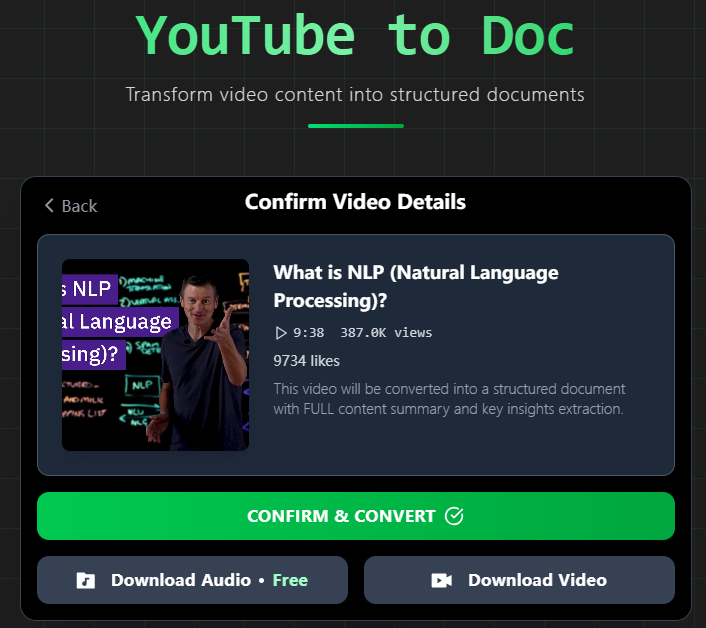
Step 2: Visit Y2Doc.com and Past the Link
Paste your YouTube video link into the input box and click the “SUBMIT URL” button.

Step 3: Download Your File
Click “Download Audio” and within seconds, you get your MP3 free of charge.
Why Y2Doc
There are many tools claiming to convert YouTube videos to MP3, but Y2Doc stands out with the following features ideal for white noise listeners:
- Supports Long Videos: Download sessions up to 4 hours, enough for a full night’s sleep or extended focus.
- No Watermarks or Ads: Get clean audio with zero branding or intrusive interruptions.
- Multiple Resolutions for Video Download: If you want a video version, you can also download in MP4 with optional resolutions from 144p to 4K.
- Fast Processing: Even large files are processed within seconds less than one minute.
- Works on Any Device: As a browser-based tool, Y2Doc runs on any device, including but not limited to Windows, macOS, Android, or iOS.
How to Get the Most from White Noise
White noise is a sound that contains all audible frequencies at equal intensity, producing a uniform, continuous “blanket” of sound. This steady audio layer works because it masks sudden changes in the environment that would otherwise capture your brain’s attention.
Its benefits are backed by research. In a study on the effects of white noise and duration in individuals living in a high noise environment (Ebben et al., 2021), adults who slept with white noise fell asleep faster and experienced fewer nighttime awakenings compared to nights without it. Similar effects appear in focus and learning: a Scientific Reports paper (Awada et al., 2022) found that white noise at 45 dB and white noise level at 65 dB, on the cognitive performance, creativity, and physiological responses of neurotypical adults in a private office space.
Conclusion
If played without interruption, white noise can be an effective tool for better sleep, sharper focus, and stress reduction. With Y2Doc’s fast processing, ad-free downloads, and support for long tracks, you can create your own offline playlist.
Start your first download today and experience the difference a truly uninterrupted soundscape can make.
✍️ Editorial & Generation Note
This content was originally generated with the assistance of Y2Doc's AI to quickly extract and structure information from video sources. It has been carefully reviewed, edited, and verified by our human editorial team to ensure accuracy, safety, and helpfulness.