Your First Choice to Descargar Videos de YouTube, Easy & Beyond Traditional One
If you're looking to download a YouTube video easily, and subconsciously hope to get more out of it, you're in the right place.
Whether you're saving a lecture, a podcast, or a tutorial, Y2Doc lets you download any of these videos in seconds.
Download YouTube Videos In Seconds by 3 Simple Steps
Step 1: Copy a YouTube video link
Step 2: Paste the link into Y2Doc
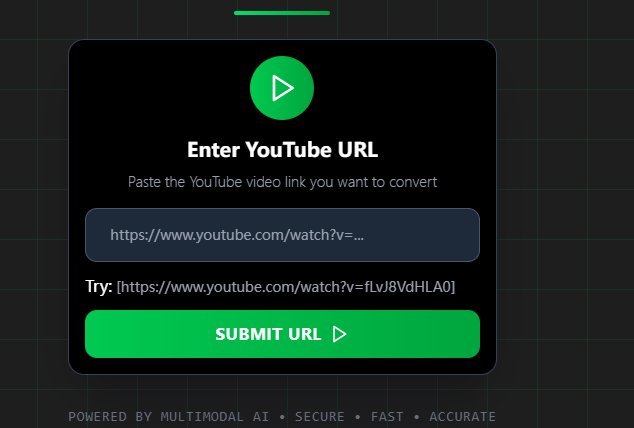
Step 3: Click “DOWNLOAD”

Three steps, a few seconds, and you can get any YouTube videos, up to 4 HOURS.
What Makes Y2Doc Different?
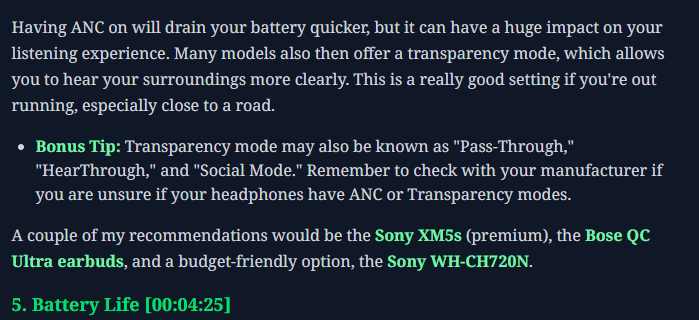
Just grabbed the MP4 and thought you were done? Hold on, that was just a prologue. Y2Doc brews a second gift behind the scenes: a concise, speaker-perfect transcript served with timestamps, headers, and bullet-point takeaways, and with noise words.
Zero extra clicks, you will experience an unprecedented transcript layout:
- Clean, filler-free text
- Clear, structured transcript
- Timestamps for each section or idea
- Headings and subheadings to show topic shifts
- Bullet-point summaries of key takeaways
- Colored keywords/technical terms
- Export formats: txt, pdf, markdown, article draft, summary…
Use Cases Beyond Just Downloading
Start as a downloader and, surprisingly, change your entire workflow. This is how Y2Doc is being used. Hope that these examples inspire you:
- Language learners: Download language teaching podcasts and use color-coded transcripts to go straight to the vocabulary or phrases.
- Knowledge seekers: Y2Doc's organized layout with timestamps, color-coded transcripts and topic markers allows them to quickly identify important terms, examples, or definitions when they need to quickly go back and review earlier concepts. No more blindly scrubbing through the video, panic note-taking and endless rewinding..
- Writers: By quickly scanning well-defined headings, timestamped sections, and bullet-point summaries, writers can quickly transform expert talks into polished article drafts.
- Professionals: By extracting highlights from visually organized transcripts, complete with timestamped headers and takeaways, professionals turn webinars into team insights that are ready to be shared.
Conclusion
Once you try it, there's no going back.
If you are looking for a YouTube to MP4 downloader, Y2Doc delivers.
While Y2Doc goes far beyond.
Paste a link.
Download the video.
Get the insight.
Try Y2Doc today, and you will see how much more useful your downloaded content can be.
✍️ Editorial & Generation Note
This content was originally generated with the assistance of Y2Doc's AI to quickly extract and structure information from video sources. It has been carefully reviewed, edited, and verified by our human editorial team to ensure accuracy, safety, and helpfulness.