How to Download YouTube Videos Without Premium
YouTube has become an essential part of daily life, from watching cooking demos and fitness routines to exploring film reviews or forum keynotes. However, the internet is not always reliable, and sometimes you want to save a favorite video for later without interruptions.
That’s why a growing number of users are turning to alternative ways to download YouTube videos. Maybe you are getting ready for a long flight, studying for exams at a cafe, or backing up valuable clips from your favorite creators. Whatever the situation may be, you need a tool that is versatile, compatible with your devices, dependable, and ideally free.
Meet Y2Doc, Your Solution
Among the competitive downloaders and converters, Y2Doc stands out by offering a fresh, user-friendly, and incredibly quick alternative. Running fully in the browser, it eliminates the need to install any software. This makes it instantly available across Windows, macOS, Android, and iOS. A 30-minute video only takes six seconds to download, allowing users to store information without disrupting their activity. By Y2Doc's advanced technology, the user experience is extremely efficient.
Another key advantage is resolution control. Y2Doc conforms to user demands, whether you want to save at high quality to your liking or choose lower resolutions to conserve storage space on your device. It offers a rare balance of performance and flexibility. If you care about simplicity and quickness without sacrificing quality, it's perfect for you.
How to Use Y2Doc
Just follow these simple steps:
-
Past the YouTube video's URL that you wish to convert
-
Click the "SUBMIT URL" button
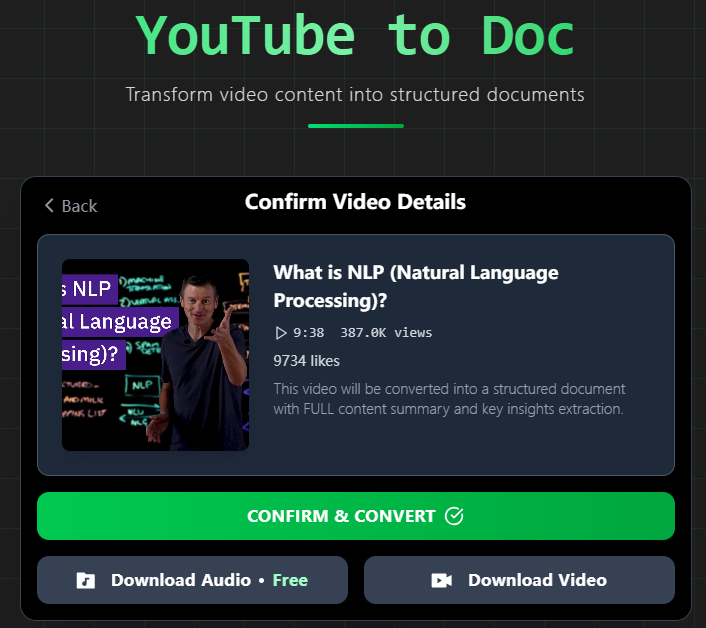
-
Click the "Download Video" button to choose your preferred resolution (including 144p, 240p, 360p, 480p, 720p, and 1080p)
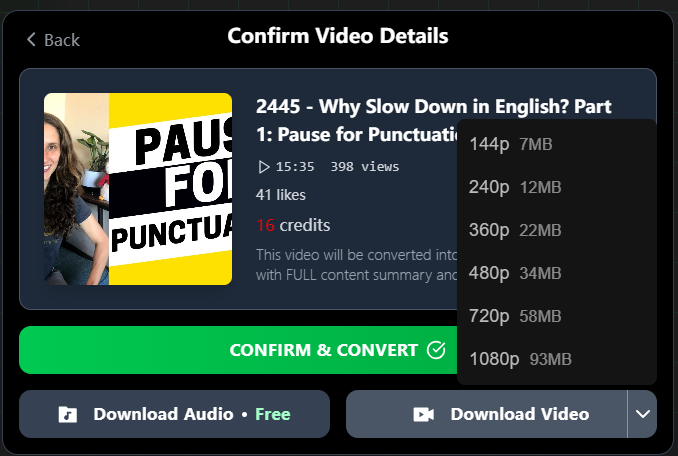
In just a few seconds, you’ll receive the video.
Make Content Do More Than Just Download It
Downloading a video is only one piece of the puzzle. If your real goal is to learn from, summarize, or reuse the content, a video file isn’t really helpful. Y2Doc provides value, especially for those who want to participate rather than just observe.
For Learners and Researchers: Concentrate More Efficiently
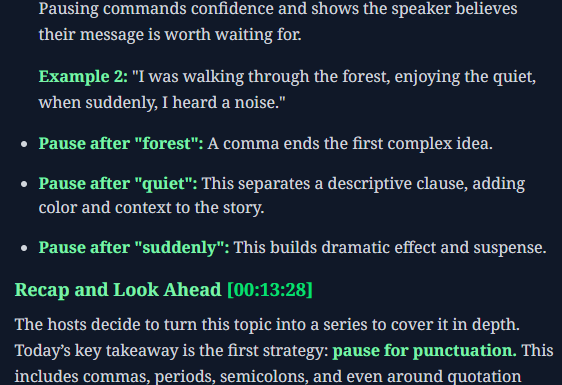
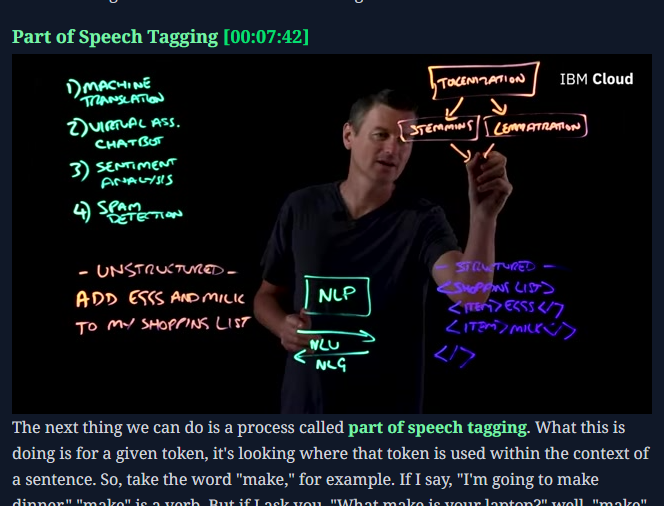
It is easy to become disoriented midway through a technical tutorial with dense language or a 90-minute academic lecture. Y2Doc simplifies things by automatically labeling sections, creating bullet points, adding timestamps, and highlighting key phrases in the video. If you require a definition, case study, or explanation, you may quickly scan the structure and get to the section you need.
For students, this means improved note-taking and less time spent revising. For researchers, it offers a quick and easy way to extract, annotate, and cite relevant insights from lengthy YouTube videos. Do not worry about physically transcribing or bouncing between YouTube and a notebook; instead, devote your full attention to thinking, analyzing, and implementing what you have learned.
For Professionals and Teams: Review, Reuse, Report
Long-form YouTube content, including industry experts, product demos, legal panels, or thought-leadership talks, provides insights worth saving, but revisiting them manually is time-consuming. Y2Doc makes this process efficient by converting videos into a structured transcript with clear segmentation, timestamps, and speaker labels.
Instead of scrubbing through an hour-long panel discussion or webinar, with Y2Doc, professionals can quickly locate key points, reference exact moments, and reuse information for presentations, internal knowledge sharing, or reporting. Y2Doc is also a must-have tool for individuals who depend on YouTube for serious knowledge.

For Creators and Communicators: Repurpose with Minimal Effort
If you’re turning interviews, seminars, or tutorials into blogs, newsletters, or clips, Y2Doc accelerates the process. With clearly segmented content, ready-to-copy quotes, and keyword-highlighted bullet points, you can instantly repurpose video material into something your audience will like.
Y2Doc provides a straightforward, user-friendly basis for a variety of tasks, from extracting an engaging quotation for social media, creating audio show notes, to developing an article based on a video session. More than simply time is saved. Focusing on tone, audience, and storytelling becomes easier as you decrease cognitive load and improve accuracy. How did it turn out? Quicker, more satisfying content creation with less hassle.
Conclusion
It shouldn’t be complicated or expensive to download YouTube videos without premium. Without the need to install any additional software or plugins, Y2Doc provides a quick, easy, and web-based solution that is compatible with all devices. In addition to making it easy to save videos to watch later, Y2Doc revolutionizes how you interact with videos overall.
With Y2Doc, you can do more with every video, whether you're a student trying to maximize your study sessions, a professional trying to glean important insights, or a creator trying to make reusing your material easier. It turns passive watching into active learning, structured information, and easily reusable content, saving you valuable time and helping you focus on what truly matters.
Ready to experience the difference? Try Y2Doc today, and see how much more productive your YouTube experience can be.
✍️ Editorial & Generation Note
This content was originally generated with the assistance of Y2Doc's AI to quickly extract and structure information from video sources. It has been carefully reviewed, edited, and verified by our human editorial team to ensure accuracy, safety, and helpfulness.