How to Download YouTube Videos Free
YouTube has become part of everyday life. It might be the lecture you watch before an exam, a tutorial for a new skill, or a favorite performance you keep coming back to. But streaming isn’t always reliable—slow Wi-Fi causes buffering, ads break your focus, and sometimes a video just disappears when the creator removes it.
That’s why downloading YouTube videos still matters. Keeping a copy on your own device means smooth playback anywhere, anytime. For students, travelers, and professionals, offline access adds stability in a world where online content changes quickly.
This guide will show you how to use YouTube downloaders like Y2Doc to save videos and why Y2Doc is worth trying.
The Ongoing Demand for YouTube Downloads
The Trend: Why Downloading Persists
Even with faster internet and better streaming services, downloads haven’t lost their appeal. A saved video plays instantly, no buffering, no ads, and stays with you even if it’s later removed from the platform. For many people, downloading is less about convenience and more about keeping control.
The Data Behind the Demand for Offline YouTube Videos
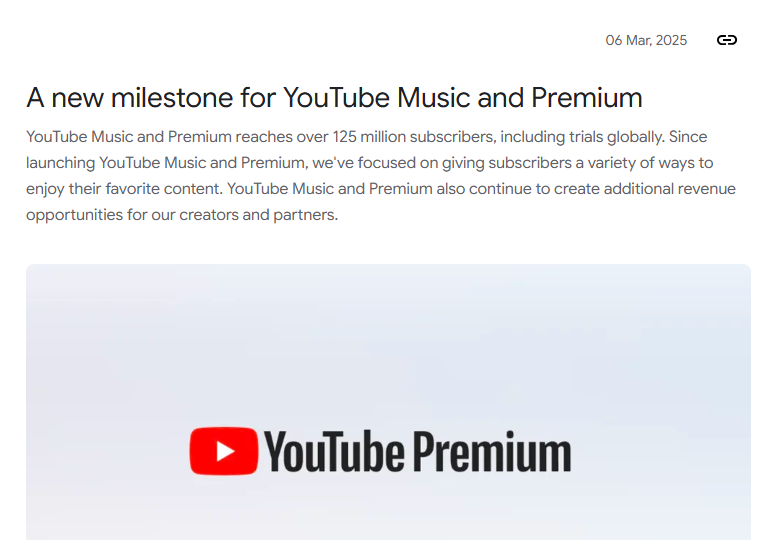
Recently, over 125 million people worldwide subscribed to YouTube Premium or Music for ad-free viewing and offline playback. That number reflects strong demand to save YouTube videos beyond streaming.
Learning further drives the trend. According to Pew Research, over half of U.S. YouTube users see the platform as very important for learning new skills. When a video helps you study, upskill, or work more effectively, the instinct to keep a copy is strong.
Everyday Scenarios Where Downloading Helps
Think of a student saving a full lecture series before finals. Or a traveler preparing a playlist of documentaries for a long-haul flight. Or a professional archiving past webinars for quick reference at work. These situations show why downloading is a practical response to daily challenges.
Free vs Paid — And Why Y2Doc Stands Out
Free Tools: Accessible but Limited
Plenty of free YouTube video downloader options exist online, but most come with obvious trade-offs. They crowd the screen with ads, limited formats, slow speeds, or offer only a limited range of formats and resolutions. For users, the experience often feels unreliable.
Paid Services: Reliable but Subscription-Based
On the other side, there are paid options like YouTube Premium. As an official option, it provides ad-free viewing, consistent performance, and the ability to download directly within the app. The catch, of course, is that it requires a monthly subscription, which not everyone wants to commit to.
Y2Doc: A Smarter Middle Ground
Y2Doc sits in the space between these extremes. It runs in the browser, so there’s nothing to install, and it supports both MP4 video and MP3 audio downloads. Users can choose resolutions from lightweight 360p all the way up to crisp 4K, depending on storage space and viewing needs. Beyond video files, Y2Doc also generates transcripts, summaries, and even AI-powered lecture recaps. In practice, this means enjoying the accessibility of a free tool while gaining functions that usually belong in the premium tier.
Step-by-Step Guide: How to Download YouTube Videos Free with Y2Doc
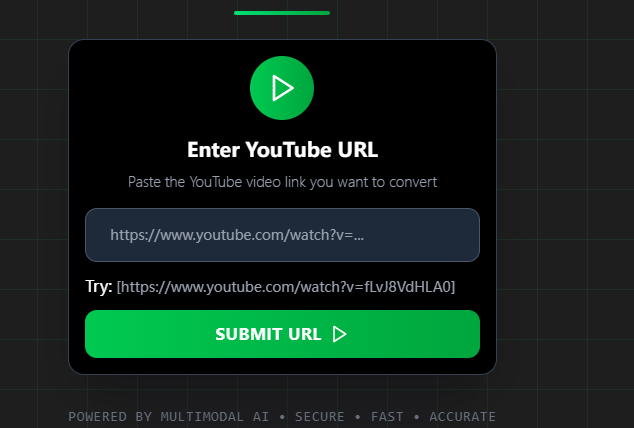
- Step 1: Paste the YouTube link
Copy the video URL and paste it into Y2Doc.
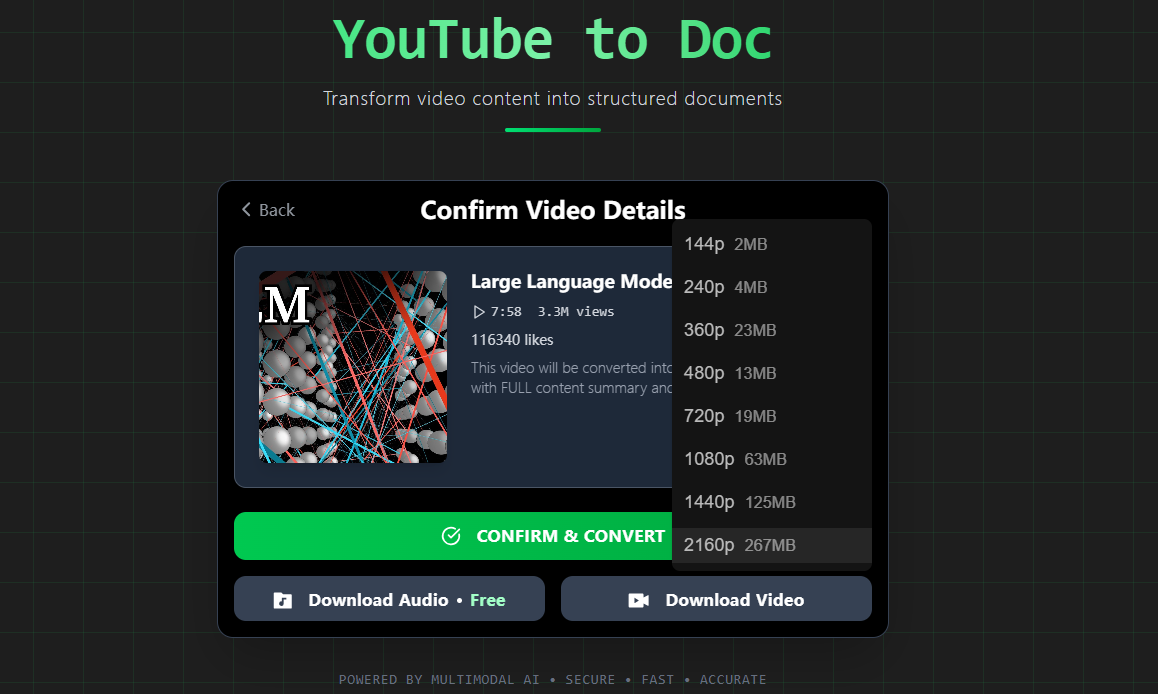
- Step 2: Choose your format
Select whether you want the full video or just the audio. MP4 is the standard for video playback, while MP3 works well for lectures, podcasts, or music when you don’t need visuals.
- Step 3: Click the “Download Video” Button
Y2Doc supports options ranging from compact 360p files to crystal-clear 4K. A lower resolution is handy for saving storage space or loading quickly on older devices, while higher resolutions are perfect when you want detail and clarity on a larger screen. Once the resolution is selected, the video is processed and downloaded.
- Beyond Download
Save the file directly, or you can also enable the transcript at this stage by clicking the “CONFIRM & CONVERT”.
Types of YouTube Downloads You Can Choose
With Y2Doc, you’re not locked into a single format. The tool gives you flexibility depending on how you plan to use your content.
MP4 for the Full Video Experience
Y2Doc lets you save videos in MP4, the most widely supported format. Whether it’s a lecture you need to study in detail or a performance you want to watch again later, the MP4 option preserves both picture and sound so nothing is lost.
MP3 When Audio is Enough
If you only need the spoken words or the music track, Y2Doc can convert the same video into MP3. Students often use this option to listen back to lectures like a podcast, while others keep playlists of downloaded songs or talks for offline listening.
Choosing the Right Video Resolution: From 360p to 4K
Every download comes with a choice of resolution. Y2Doc supports a full range, from compact 360p files that save storage space to sharp 4K for maximum clarity. This means you can keep lighter files on your phone while reserving higher quality for your laptop or larger screens.
Instead of forcing a one-size-fits-all file, Y2Doc adapts to the way you actually consume content, whether that’s revising from a lecture, listening on the go, or enjoying a film in high definition.
Why Y2Doc is the Best Free YouTube Video Downloader
1. Flexible formats and resolutions
Y2Doc lets you download YouTube videos in a way that suits your needs. MP4 keeps both video and audio intact, while MP3 works for lectures, music, or podcasts. Resolutions range from space-saving 360p to crisp 4K, giving you control over file size and quality.
2. A simple browser-based tool
No installation, no hidden extras. Y2Doc works directly in your browser, which means you can download videos from YouTube on any device. The clean interface removes distractions and keeps the process straightforward, whether you are on a laptop at home or a phone on the move.
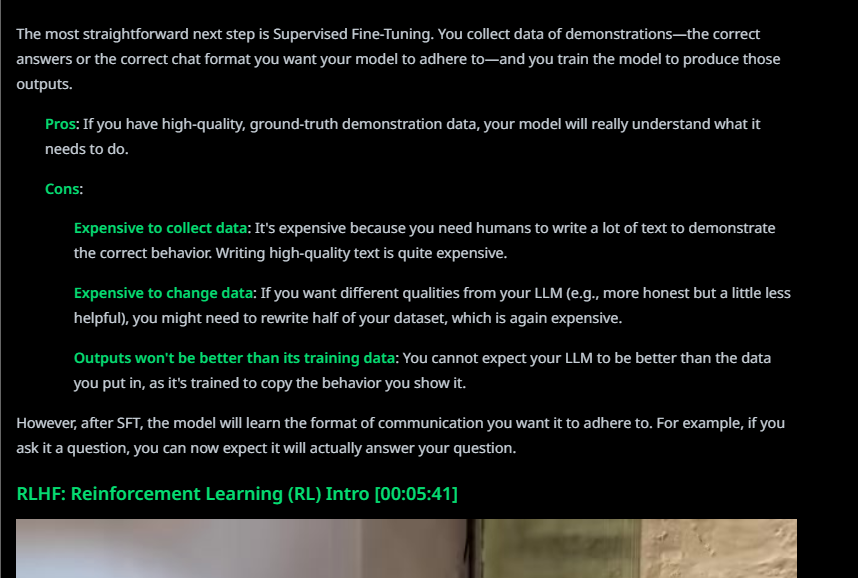
3. Transcripts and summaries with every download
For learners and professionals, a downloaded video is often just the starting point. Y2Doc can generate a transcript alongside the download, making it easy to review or search for key points. Summaries condense long tutorials into clear takeaways, so you do not need to rewatch hours of content to find what matters.
4. AI Lecture for deeper learning
Keeping a file is useful, but turning it into a structured learning experience goes further. With Y2Doc, a saved video can be transformed into a narrated session complete with slides. This helps students prepare for exams and allows professionals to reuse material for training or presentations.
5. Easy export and organization
What makes a video valuable is how easily the material can be carried into your everyday work or study. With Y2Doc, transcripts and notes can be exported as TXT, PDF, or Markdown and placed directly into cloud drives, team projects, or personal e-systems. Over time, a scattered set of files turns into a coherent library that supports long-term learning and research. For a complete workflow, see our guide on Building a Video-Enhanced Personal Knowledge Base.
Download YouTube Videos More Effectively
Saving videos should feel simple, not complicated. Y2Doc gives you the freedom to save YouTube videos in the formats you need and use them long after they leave the platform. Ready to make downloading work smarter for you? Try Y2Doc today.
FAQs
Q1: Can I download long YouTube videos?
Yes. With Y2Doc, you can download YouTube videos of extended duration, including lectures, documentaries, and live-stream recordings. There is no fixed limit on video length, so you can save content whether it lasts a few minutes or several hours.
Q2: Does Y2Doc support 4K video downloads?
Yes. Y2Doc lets you choose from a full range of resolutions, starting at 360p and going up to 4K. The exact options depend on the quality available in the original upload, so if a video was published in 4K, you can download it in 4K as well. This gives you control over both file size and visual clarity.
Q3: Can I use Y2Doc on any device?
Y2Doc works directly in your browser, so it runs on laptops, tablets, and smartphones without installation. Whether you’re using Windows, Mac, Android, or iOS, you can download videos from YouTube in just a few clicks.
Q4: Can I download only the audio from a YouTube video?
Yes. If you only need the audio, for example, a podcast, lecture, or music track, Y2Doc lets you convert YouTube videos to MP3 quickly, keeping the file lightweight and portable.
✍️ Editorial & Generation Note
This content was originally generated with the assistance of Y2Doc's AI to quickly extract and structure information from video sources. It has been carefully reviewed, edited, and verified by our human editorial team to ensure accuracy, safety, and helpfulness.