Can ChatGPT Transcribe Audio? No. But This One Can
You might have asked ChatGPT to help with countless tasks: writing emails, coming up with ideas, giving coding tips, or even telling bedtime stories. So, it’s natural to wonder: Can ChatGPT transcribe audio? After all, transcribing audio feels like the kind of tedious task that an AI assistant could easily handle.
Unfortunately, ChatGPT doesn't support audio transcription. It can’t listen, let alone convert speech directly into text.
But don't click away yet. A simpler, smarter, and faster tool exists, designed specifically to deliver high-quality transcriptions.
Let’s introduce you to your new best friend, Y2Doc.
Why Can’t ChatGPT Transcribe Your Audio?
Before we discuss the solution, it helps to understand the problem clearly.
ChatGPT is great at generating and analyzing text, summarizing documents, and even rewriting articles. But when you give it an audio or video file, it’s like giving a book to someone who can’t read.
So, how do you bridge this gap and go from audio or video directly into structured, easy-to-read text?
Y2Doc: Closing the Gap with AI Video Transcription
Y2Doc is an AI-powered tool that makes it easy to transcribe any YouTube video, even ones that are up to 4 hours long.
How easy is it?
- Step 1: Copy your YouTube video link
- Step 2: Paste it into Y2Doc
- Step 3: Click the “Submit URL” button
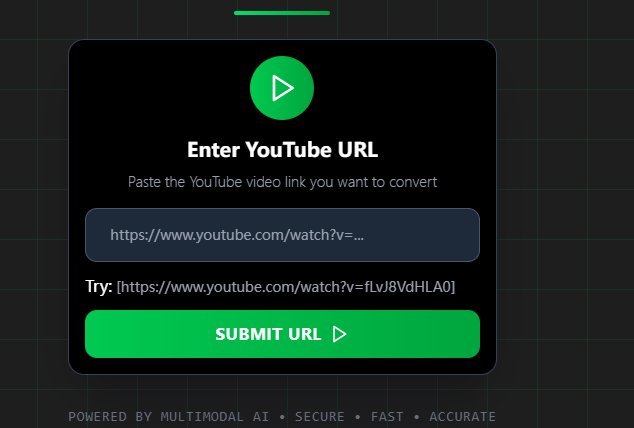
Within just a few seconds (yes, seconds), your organized, accurate transcript will be ready to go.
Well-organized, Intelligent, and Easy-to-Read Transcripts
People don't all watch videos the same way. Some are skimmers. Some take their time and think about what they want to say. Some just want the key idea and move on.
That’s why Y2Doc gives you more than one version of transcripts. It offers you multiple options (and more in the future), with each one designed to fit how your brain likes to take in information.
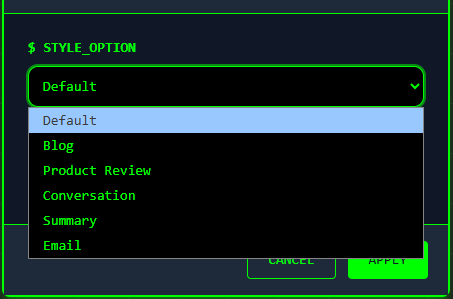
Get Your Transcripts Your Way
Y2Doc lets you quickly export your transcripts into popular formats. You can share them professionally in PDF files, use them in your e-notebooks, edit or publish them in Markdown, or save them as plain text for complete flexibility.
It also lets you download the original YouTube video as an MP4 file, so you'll always have access to watch it, online or not.
Who is Using Y2Doc? Maybe Someone Like You.
You don’t have to be a student or a professional to find value in turning videos into structured text. People who think about information instead of just taking it in will like what Y2Doc does.
-
Self-learners going deep into a 3-hour philosophy talk
You stop, go back, and write down notes…and still miss something. Y2Doc gives you a full breakdown, cleanly structured and searchable. Now, your desire to learn doesn't just depend on your ability to wait.
-
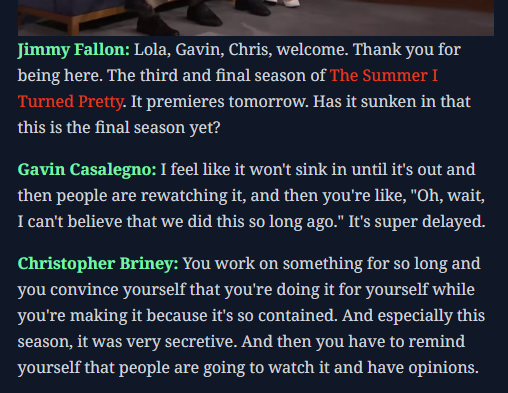
Podcast superfans trying to recall that one amazing quote
You remember what was said, but not when. You can easily get back into the moment by looking at the speaker's name.
-
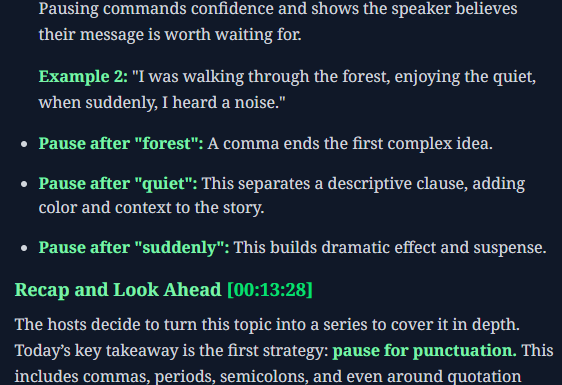
language learners watching videos made by native speakers
Listening is hard. But if reading structured transcripts at the same time?
-
Knowledge organizers building a personal second brain
You watch for a reason. You write down your thoughts. Y2Doc is your first step in turning disorganized videos into structured, taggable, and downloadable knowledge.
So, the answer to your first question, “Can ChatGPT transcribe audio?” is now clear: No, it can't. But Y2Doc can, and it does it in a great, quick, and easy way.
Ready to experience the easiest transcription tool yet?
Paste your first YouTube link into Y2Doc and see how easy and strong it is to transcribe.
✍️ Editorial & Generation Note
This content was originally generated with the assistance of Y2Doc's AI to quickly extract and structure information from video sources. It has been carefully reviewed, edited, and verified by our human editorial team to ensure accuracy, safety, and helpfulness.