A Smarter YouTube Transcription Tool to Revolutionize Your Workflow
People’s expectations for video transcription have changed. What used to be a simple need, turning audio into text, has evolved into a demand for structure, speed, flexibility, and ease of use. Users now expect more than raw captions or plain text dumps, whether you're getting key insights from a technical lecture or building content workflows from interviews.
That’s why more professionals and creators are looking for an all-in-one transcription tool that does more than just generate text. It should also give them structure, export control, speaker formatting, language support, and even visual context. The tool of this kind is becoming an essential part in how we take in, remember, and repurpose digital content.
Today’s YouTube transcription tools must handle complicated tasks without slowing you down. It needs to be easily accessible, adaptable, and capable of converting long-form videos into formats that people can use in various languages, formats, and situations.
This is what Y2Doc was built on. Clean transcripts are just the start.
What Is Y2Doc?
Y2Doc is a web-based transcription and content conversion platform that turns any YouTube video (up to 4 hours long) into a structured, readable, and usable document in just a few seconds.
But that's not even close to what it is.
Beyond turning audio into text, Y2Doc breaks long videos into sections. It keeps key visuals. It offers translation, summarization, speaker separation, and multiple export formats. It also gives you multiple options for the document format, whether you want an article-style structure, a transcript with speaker tags, or a bullet-point summary.
What Makes This a True All-in-One Transcription Tool
Let’s talk about what makes Y2Doc genuinely comprehensive.
Supports Multiple Transcript Styles
You shouldn't read all videos the same way. That’s why Y2Doc offers several output modes:
-
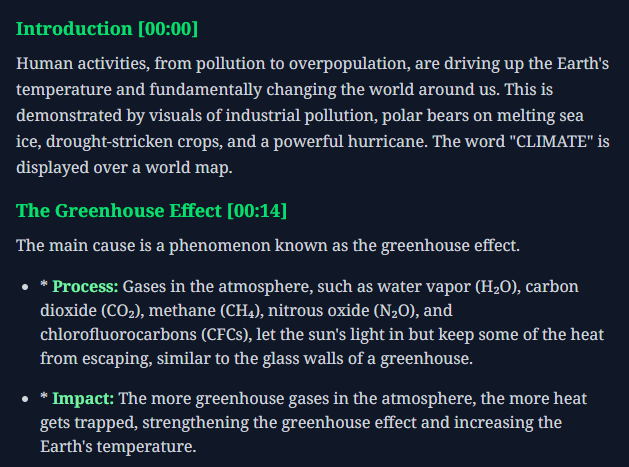
Default: For full, structured transcripts with headings and bullets
-
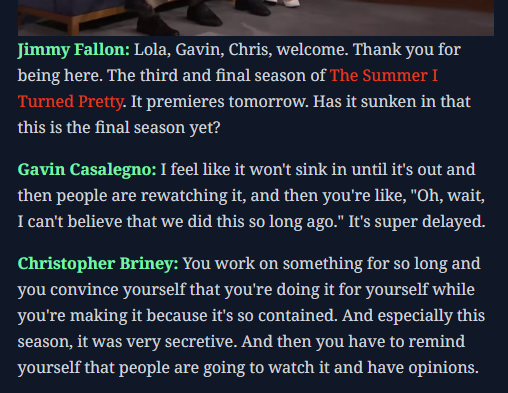
Conversation: For speaker-based formatting, perfect for podcasts or interviews
-
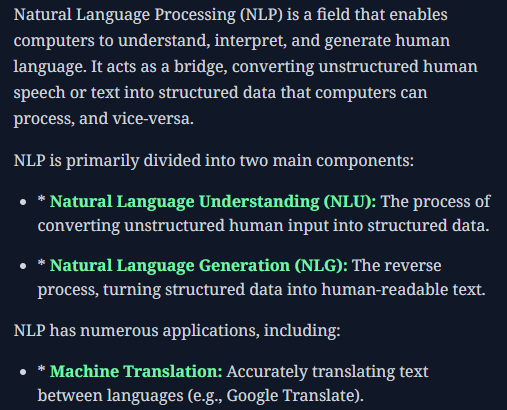
Summary: For distilled key points and takeaways
-
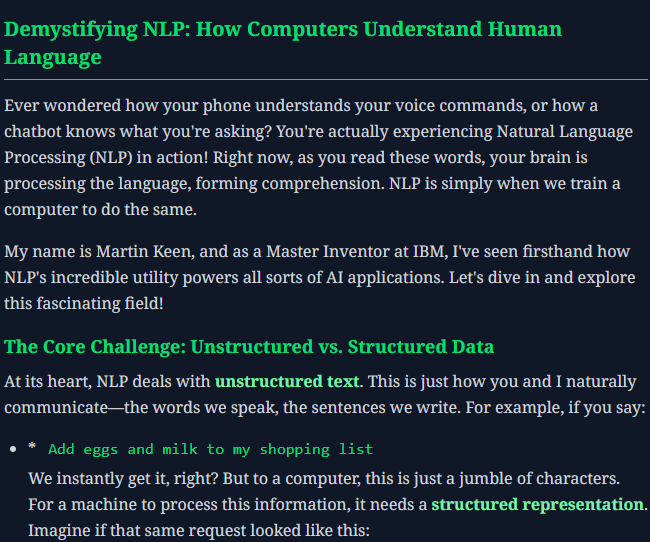
Article: Rewrites content into structured paragraphs
-
Email: Structures the content as an update or internal summary
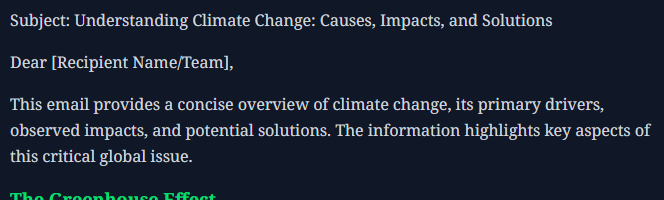
Image-Aware Transcripts
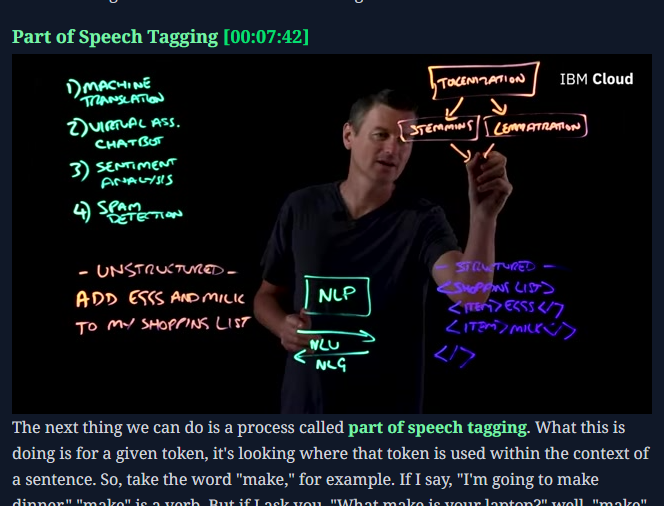
Some moments in videos just don't make sense without pictures. Charts, slides, UI walkthroughs, and diagrams are all important. Y2Doc detects these visuals and retains relevant images within the transcript, letting you choose whether to keep or remove them.
Multilingual & Translation
Y2Doc can transcribe and translate content across multiple languages. You can get an English transcript of a Hindi video. Or the other way around. It’s ideal for international students, researchers, or teams that speak more than one language.
Download What You Need, How You Need It
You can export your content in the format that works best for you:
-
PDF: To share and store
-
Markdown: To write or change the content
-
TXT: For the most freedom, use
-
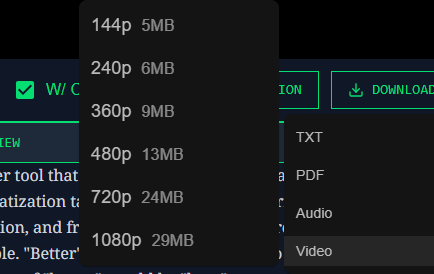
Audio (MP3) and Video (MP4): In multiple resolutions, from 144p to 1080p
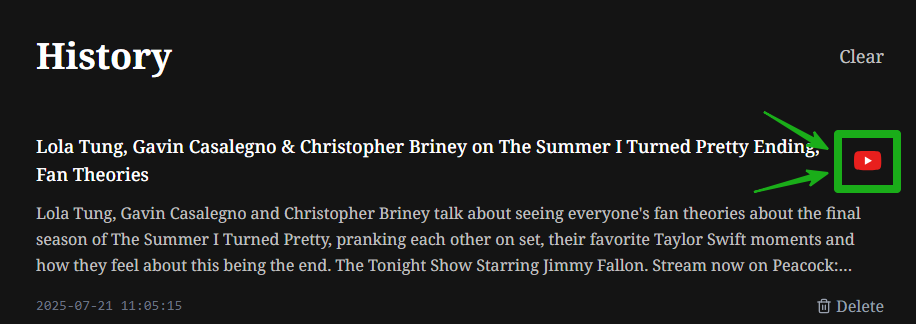
You can even access your history with one click, and open the original video again via embedded links.
Why It Outperforms the Most YouTube Transcription Tools
Many tools advertise themselves as “YouTube transcription tools”, but only generate raw text. What sets Y2Doc apart is its focus on structure and usefulness.
Most transcription tools:
- Output a block of unformatted dialogue
- Lose all visuals
- Ignore section breaks
- Offer minimal export options
- Require manual editing
Y2Doc takes care of all of that, automatically. Its AI engine not only captures the text but interprets the structure and purpose of the video, presenting it in a way that’s ready to use, not just “readable.”
Who Benefits Most from Y2Doc?
Let's get down to business. Y2Doc is an all-in-one transcription tool built for people who do more than just listen:
- Students & learners who want notes instead of just subtitles
- Researchers who are going through long interviews, panels, or lectures
- Content creators who turn video into blog posts, newsletters, or summaries
- Language learners & translators working in more than languages
- Professionals capturing insights from webinars, presentations, or trainings
- Product or documentation teams integrating transcript excerpts into knowledge bases or docs
In short, anyone who doesn’t see videos as a final product, but as the raw material for something smarter.
The Small Touches That Matter
You don’t need to download any application or plugin or the like. Paste the link, choose your output style, and you’re on your way.
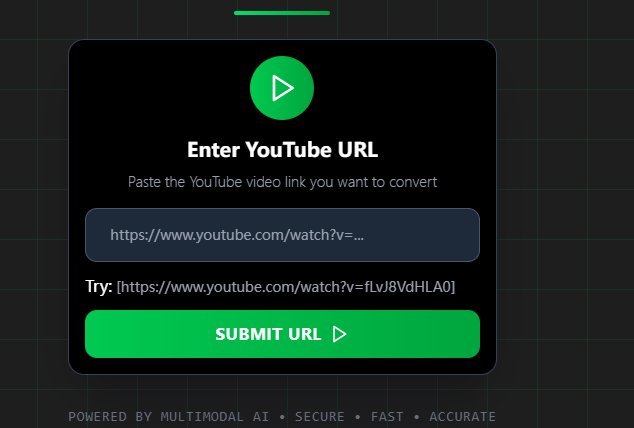
Even better, the tool keeps track of your recent videos. You can go back to your transcript, click the original YouTube link, and export again if needed. As a browser-based platform, it works on all kinds of devices, including Mac, Windows, Android, iPad, and Linux.
Conclusion
Video is one of the richest learning and communication mediums we have, but it’s also one of the hardest to reuse. Y2Doc fills that gap by giving you text, structure, translation, visuals, and control, all in one place.
There are plenty of tools that can transcribe. Y2Doc is one of the few that understands why you're transcribing and makes it easier.
Try Y2Doc and you may never take notes the same way again.
✍️ Editorial & Generation Note
This content was originally generated with the assistance of Y2Doc's AI to quickly extract and structure information from video sources. It has been carefully reviewed, edited, and verified by our human editorial team to ensure accuracy, safety, and helpfulness.